Find local vapes fast: a step-by-step guide

Find local vapes fast: a step-by-step guide
Searching for a reliable local vape shop that actually carries the disposable you want is more frustrating than it should be. Outdated Google listings, stores that stopped stocking Geek Bar months ago, and zero information about current inventory make the process slow and unreliable. This guide cuts through that noise. You will get a clear, practical method for locating local vape shops, verifying stock, comparing tools, and accessing rewards programs so every trip or order is worth your time.
Table of Contents
- What you need to find vapes near you
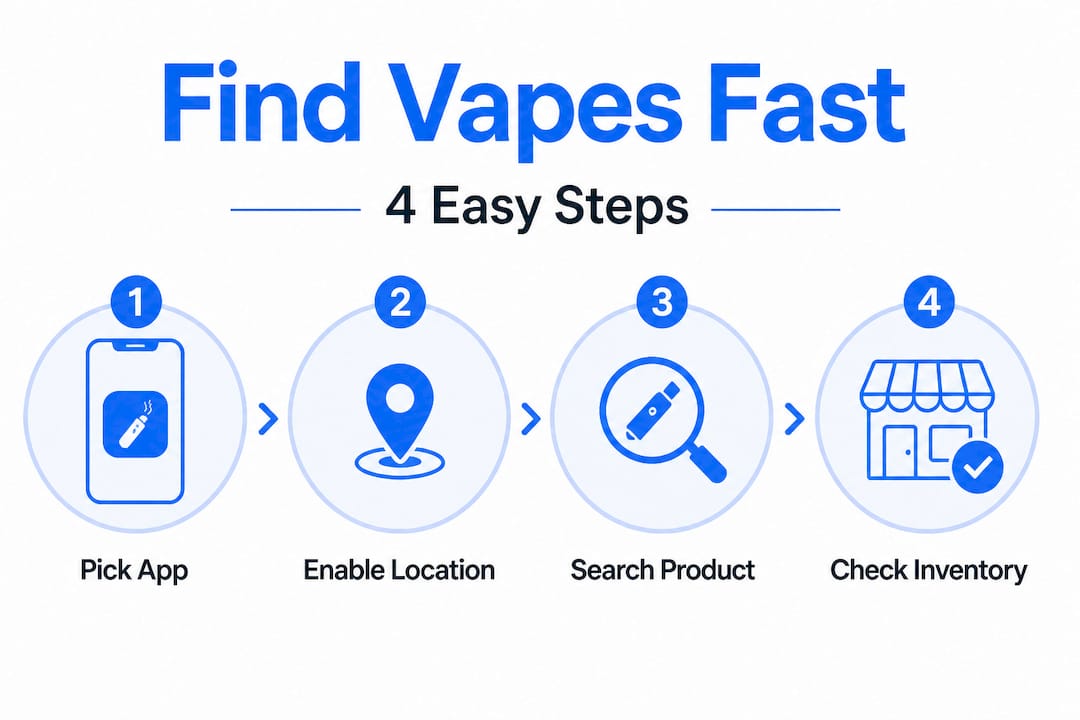
- Step-by-step: Using apps and maps for fast results
- Troubleshooting and avoiding common mistakes
- Verifying shop rewards and fast ordering options
- What most guides miss: Real convenience in vape shopping
- Discover top vape brands and local rewards
- Frequently asked questions
Key Takeaways
| Point | Details |
|---|---|
| Prioritize app directories | Platforms like Weedmaps offer up-to-date listings and quick ordering. |
| Verify store inventory | Always check stock through apps or call ahead before heading out. |
| Look for rewards programs | Many local vape shops feature loyalty perks that can save you money. |
| Avoid outdated search results | Google Maps may not reflect current regulations or accurate vape shop listings. |
| Maximize convenience | Online ordering and delivery options boost your shopping experience. |
What you need to find vapes near you
Before starting your search, gather the right tools to increase your chances of success. Walking into this process without the correct apps and platforms is the single biggest reason people waste time driving to shops that do not carry what they need.
The foundation of any local vape search starts with map apps. Use Google Maps or Apple Maps to search “vape shops near me” for physical locations stocking disposable vapes like Geek Bar. Both platforms show hours, reviews, and basic contact information. That is a solid starting point, but not the full picture.
Beyond standard maps, you need platforms built specifically for this type of product search. These tools pull real-time inventory data and connect directly to store ordering systems. Here is the core toolkit you should have ready:
- Google Maps for broad local shop discovery and directions
- Apple Maps for iOS users who want integrated navigation and reviews
- Weedmaps for verified shop listings, current inventory, and online ordering
- Brand-specific store finders (available on manufacturer websites) to confirm which retailers carry specific Geek Bar lines
- Store websites and social media profiles for last-minute inventory updates and flash deals
Once you have these tools installed and your location permissions enabled, you are ready to run an efficient search. Knowing which flavor you want ahead of time also speeds things up. Popular options like Pulse X Wild Cherry Slush and Meloso Mini Blueberry Ice are stocked at many local retailers, but availability varies by location and restock cycle.
| Tool | Best use | Real-time inventory |
|---|---|---|
| Google Maps | Finding nearby shops | No |
| Apple Maps | Navigation and reviews | No |
| Weedmaps | Verified listings and ordering | Yes |
| Brand store finder | Confirming authorized retailers | Partial |
The table above makes the gap clear. For real-time stock confirmation, Weedmaps is the only tool in this list that delivers it consistently. The others are useful for orientation but not for confirming that a specific disposable is on the shelf right now.
Step-by-step: Using apps and maps for fast results
Now that you have the necessary tools, here is how to maximize their effectiveness with proven strategies. Each method below is ordered by speed and accuracy, starting with the most reliable approach.
Using Weedmaps for disposable vapes:
- Open Weedmaps and allow location access.
- Tap the search bar and type the product name, for example “Geek Bar Pulse X” or simply “disposable vapes.”
- Filter results by your preferred ordering method: pickup, delivery, or in-store.
- Open individual store profiles to check current inventory listings.
- Confirm the specific flavor and puff count you want is listed as available.
- Place your order directly through the app or call the shop to hold the item.
Weedmaps provides a directory of dispensaries and vape shops with online ordering, pickup, and delivery options for vapes in major cities. That real-time connectivity is what separates it from a basic Google search.
Using Google Maps as a backup:
- Open Google Maps and type “vape shop near me.”
- Sort results by rating and check the number of reviews for credibility.
- Look at photos uploaded by customers to get a sense of product variety.
- Call the shop directly before driving out to confirm they carry your specific product.
- Note the hours listed, but call to verify since many listings are outdated.
Pro Tip: Always prioritize Weedmaps over Google Maps for disposable vape searches. Weedmaps shop profiles are maintained by the stores themselves, which means inventory data is far more current. Google Maps relies on user-generated updates and automated crawls, which can lag by weeks or months.
Here is a direct comparison of the two main methods:
| Method | Speed | Inventory accuracy | Ordering options | Rewards visibility |
|---|---|---|---|---|
| Google Maps | Fast | Low | None | None |
| Weedmaps | Moderate | High | Yes (pickup/delivery) | Sometimes |
| Cloud District | Fast | High | Yes (pickup) | Yes (Cloudz) |
Flavors like CLIO Platinum Triple Berry Ice and Meloso Mini Strawberry Mango are examples of products where local availability shifts quickly. Checking a live platform before heading out saves a wasted trip.
Troubleshooting and avoiding common mistakes
Even with the right tools, some common pitfalls can waste your time or effort. Most of these mistakes are easy to avoid once you know what to look for.
Regulatory changes are the biggest hidden disruptor. Vape product regulations at the state and local level change frequently. A shop that was listed as carrying a specific product last month may have had to pull it from shelves due to new compliance requirements. This is especially relevant for disposables with high puff counts or newer nicotine formulations.
“Apps like Weedmaps enable quick ordering and pickup. Google search is declining in accuracy for vape shops due to ongoing regulatory changes that affect how businesses are listed and indexed online.” Source: Vaping360
That is a critical point. Regulatory pressure on how vape businesses can advertise online means that many legitimate shops are harder to find through standard search engines. Their listings get filtered, flagged, or simply not updated. Directory apps built specifically for this category do not have the same restrictions.
Here are the most common mistakes to avoid:
- Wrong location settings: Always confirm your location is set correctly in the app before searching. A single zip code difference can pull up shops that are 30 minutes away.
- Trusting unverified listings: Any listing without recent reviews or updated hours should be treated as potentially outdated. Call before you go.
- Assuming old inventory is current: A store profile showing a product does not guarantee it is in stock today. Inventory moves fast for popular disposables.
- Ignoring store hours: Many vape shops have irregular hours or close early on weekdays. Check and call to confirm.
- Skipping the call-ahead step: This single step eliminates the most frustrating outcome, driving out only to find the product is sold out.
Pro Tip: When you call ahead, ask specifically about the flavor and puff count variant you want. “Do you have Geek Bar in stock” is too vague. “Do you have Meloso Mini Raspberry Watermelon in the 4500 puff version” gets you a precise answer. Products like Meloso Mini Raspberry Watermelon and Pulse X Pink Berry Lemonade have specific variants that may or may not be stocked at any given time.
The pattern here is clear. Verification is not optional. It is the step that separates a successful pickup from a wasted trip.
Verifying shop rewards and fast ordering options
After finding potential shops, it pays to check for deals and ordering perks. Not all local vape shops are equal when it comes to convenience features, and a few extra minutes of research can unlock meaningful savings.
Rewards programs are more common than most people realize. Many shops that use Weedmaps or similar platforms have integrated loyalty point systems directly into their profiles. These programs work similarly to a coffee shop punch card, but the points accumulate faster on higher-ticket items like premium disposables.
Here is how to verify ordering options and rewards before committing to a shop:
- Open the shop’s profile on Weedmaps or their own website.
- Look for a “Loyalty” or “Rewards” tab in the profile. Some shops display point values per dollar spent.
- Check for first-order discounts or new customer promos, which are common on app-based platforms.
- Confirm whether the shop offers curbside pickup, in-store pickup, or delivery and note the estimated wait time.
- Read recent reviews specifically mentioning ordering speed and staff knowledge. These are reliable indicators of the actual experience.
- If the shop has a website, look for a newsletter signup that often unlocks an immediate discount code.
Statistic callout: Weedmaps lists over 1,900 brands across its platform, which illustrates the scale of what is available through app-based directories versus a basic search engine query. That variety means you are far more likely to find the specific Geek Bar variant you want through a directory than through a generic Google search.
The rewards angle matters more than most shoppers factor in. If you buy disposables regularly, even a 5 to 10 percent return in loyalty points adds up across a year. A shop offering online ordering plus rewards is objectively more valuable than one that requires in-person visits with no loyalty benefit. Products like CLR 50K Amazon Lemonade are the kind of premium items where rewards points make a real difference over time.
Always cross-reference at least two platforms before deciding on a shop. One directory might show a shop as having a product while another shows it as out of stock. The most current listing wins.
What most guides miss: Real convenience in vape shopping
Most step-by-step guides on finding local vapes stop at “search Google Maps and call ahead.” That is surface-level advice that does not account for how the landscape has actually shifted in the past two years.
Here is the uncomfortable reality. Google search is declining in accuracy for vape shops because regulatory pressure has made it harder for these businesses to maintain standard online visibility. Shops get delisted, filtered, or simply cannot keep up with the compliance requirements for standard business listings. The result is that a Google search for vape shops near you is increasingly likely to show outdated, incomplete, or irrelevant results.
The shops that are thriving are the ones that have moved to dedicated platforms like Weedmaps, or built their own direct ordering systems. These platforms are designed to handle the specific compliance requirements of this product category. They verify age at the platform level, maintain current inventory, and connect directly to the shop’s ordering system.
This is not a minor improvement. It is a structural shift in how local vape shopping works. Shoppers who still rely primarily on Google are operating with a map that is increasingly out of date. Shoppers who use dedicated directories are working with live data.
The other thing most guides miss is the review layer. Reading recent reviews specifically about product availability, staff knowledge, and ordering speed gives you a ground-level view that no inventory listing can replicate. A shop with five recent reviews mentioning fast pickup and knowledgeable staff is a better bet than a shop with a perfectly updated Weedmaps profile but no recent customer feedback.
Combine app-based search with targeted review reading, and you have a system that consistently outperforms any single-source approach. Products like RIA Watermelon B-Burst are popular enough that stock moves fast. Knowing which shops restock frequently, based on review patterns, is a real competitive advantage for regular buyers.
The bottom line is this: treat your local vape search like a system, not a one-time query. Build your toolkit, verify before you go, and prioritize platforms built for this category.
Discover top vape brands and local rewards
Now that you know how to find local vapes efficiently, here is where to put that knowledge to work with top products and real ordering perks.

Cloud District is a premium vape marketplace built specifically for customers who want fast access to top disposable brands like Geek Bar without the guesswork. You can browse a curated selection of products, place an order, and pick up locally through a streamlined platform designed for speed. Every purchase earns Cloudz rewards points, which you can redeem on future orders. Options like CLIO Platinum Blue Razz Ice are available with verified stock and no wasted trips. For customers who are 21 years or older and want a reliable, rewards-backed local ordering experience, Cloud District is the direct solution.
Frequently asked questions
How do I know which stores have Geek Bar vapes in stock?
Apps like Weedmaps list available inventory in store profiles, so check those listings first and call the shop directly to confirm before heading out.
Is Google still reliable for finding local vape shops?
Google search results are less reliable now due to regulatory changes affecting how vape businesses are listed, so dedicated apps like Weedmaps provide more accurate and current information.
What are the best ways to order disposable vapes locally?
Weedmaps connects you to shops offering online ordering, curbside pickup, and delivery, making it the most efficient option for fast local access to disposable vapes.
How can I access rewards when buying vapes locally?
Many shops list loyalty programs and promos directly in their Weedmaps store profiles, so check there first or ask the shop directly about available rewards when you call to confirm inventory.