Quick Vape Reorder Process: Fast Pickup Guide
Quick Vape Reorder Process: Fast Pickup Guide
The quick vape reorder process is defined as a multi-step system that lets you repurchase disposable vapes like Geek Bar by pulling from your order history, confirming your identity online, and collecting your order in-store within minutes. This approach combines live inventory menus, one-click reorder tools, and dedicated pickup counters to cut the time between “I need a refill” and “I have it in hand.” Cloud District has built its platform around exactly this workflow, with Cloudz rewards attached automatically at checkout. If you have ever waited days for a delivery when a local pickup was available, this guide covers every step to make your next reorder faster and more secure.
What does a quick vape reorder process require?
Before you place a single order, three things must be in place: an active account, accurate profile details, and a clear understanding of store hours. Skipping any one of these creates friction at the exact moment you want speed.
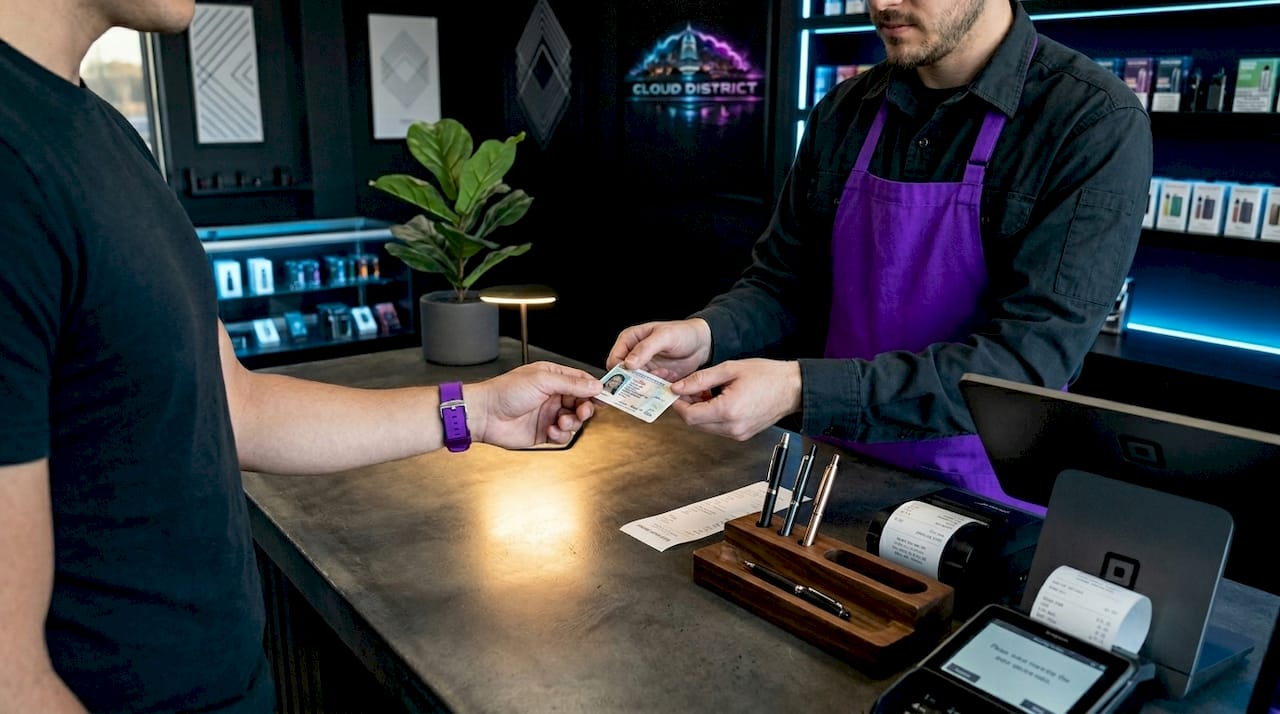
Account setup and profile accuracy are the foundation of any fast vape refill system. Your name, phone number, and email on file must match your government-issued ID exactly. Small discrepancies between checkout and ID information can delay in-store pickup significantly, so storing consistent profile data is not optional. Enter your legal name as it appears on your driver’s license or state ID, not a nickname.
Here is what to confirm before your first reorder:
- Legal name on file: Must match your government-issued ID character for character.
- Phone number: Used for order confirmation texts and in-store lookup.
- Email address: Receives your pickup-ready notification.
- Date of birth: Required for age verification. You must be 21 years or older to view and purchase products.
- Preferred pickup location: Set this in your account to avoid selecting it manually each time.
- Payment preference: Know whether you are paying with cash or debit. Credit cards are typically not accepted at in-store vape pickups due to banking regulations.
Store hours matter more than most users realize. Placing an order 10 minutes before closing does not guarantee same-day pickup. Check the store’s posted hours and factor in the standard 15 to 30 minute preparation window before you arrive.
Pro Tip: Set your account profile once and never touch it again unless your legal ID changes. Any update to your name or phone number must be mirrored on your physical ID before your next pickup.
How to reorder your disposable vapes for fast pickup
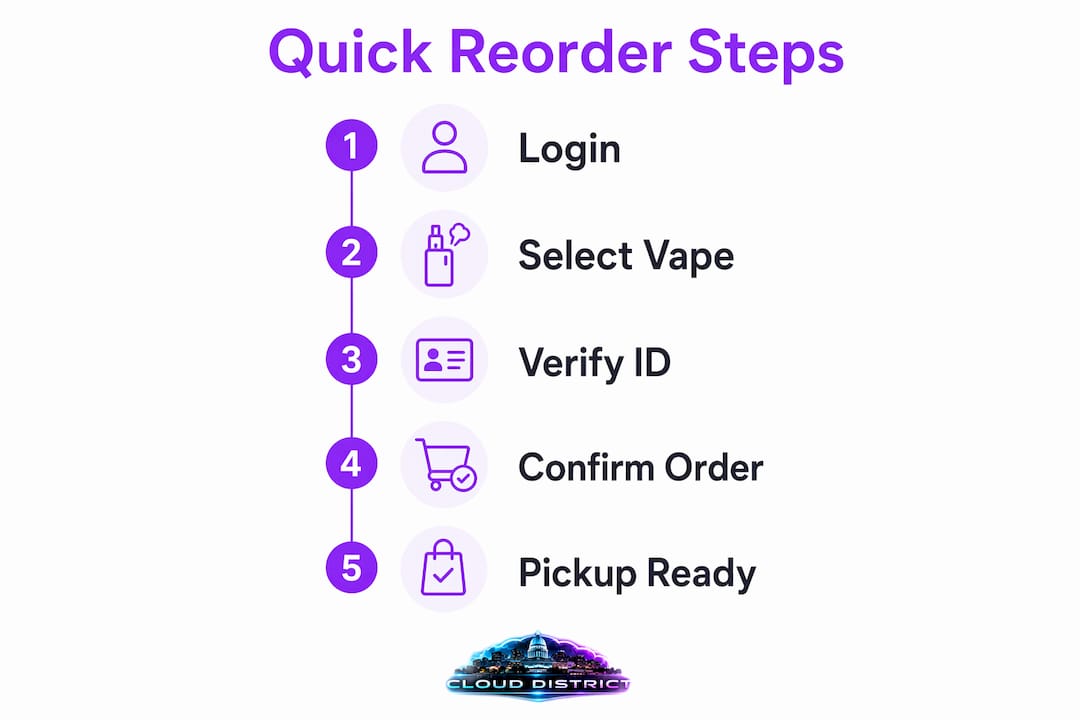
A well-executed vape order pickup process takes fewer than five minutes from login to confirmation. The steps below reflect how platforms like Cloud District structure the reorder workflow for returning customers.
- Log into your account. Do not browse as a guest. Logged-in users access order history and attached Cloudz rewards automatically.
- Open your order history. Navigate to past orders and locate the most recent purchase containing the products you want. Geek Bar Pulse and similar disposables appear exactly as you ordered them, with flavor and quantity saved.
- Use the quick reorder button. One to two click reorder additions from past orders push your previous cart directly to checkout, bypassing the need to search products again. This is the single biggest time-saver in the entire process.
- Review the cart for substitutions. Out-of-stock items are skipped automatically during reorder to prevent checkout blockage. A notification tells you which items were removed. Decide whether to substitute or proceed.
- Select your pickup time slot. Choose the earliest available window. Mid-morning slots on weekdays typically have the shortest wait.
- Complete age and identity confirmation. Checkout confirms age and identity online using your account details, so the in-store check becomes a formality rather than a bottleneck.
- Submit the order and wait for confirmation. You receive a text or email when your order is ready. Do not leave for the store until that message arrives.
| Step | Time required | What can slow it down |
|---|---|---|
| Login and order history access | Under 1 minute | Forgotten password or guest checkout |
| Cart build via reorder button | Under 1 minute | Out-of-stock substitutions needing review |
| Pickup slot selection | 1 to 2 minutes | Limited slots during peak hours |
| Age and identity confirmation | Under 1 minute | Profile mismatch with ID |
| Order preparation by store | 15 to 30 minutes | High order volume or staff availability |
Pro Tip: Place your reorder before you finish your current device. Ordering with a day to spare means you can pick the best time slot rather than the only available one.
For customers who want to explore vape deals and rewards stacking before checkout, reviewing exclusive deal options before finalizing your cart can add meaningful savings without adding meaningful time.
How in-store pickup works for a secure vape ordering process
Arriving at the store is the shortest part of the process when the online steps are done correctly. Pickup orders are typically ready within 15 to 30 minutes during regular hours, which means your wait at the counter is minimal if you time your arrival to the confirmation message.
What to expect when you walk in:
- Present your government-issued ID. Staff verify that your name and date of birth match the order on file. No proxy pickups are permitted. The original purchaser must be present.
- Confirm your order details. The staff member pulls your order by name or phone number. Having your confirmation text visible on your phone speeds this up.
- Pay in-store with cash or debit. Credit cards are generally not accepted at vape retail counters due to federal banking rules. Bring the right payment method or you will leave without your order.
- Redeem your rewards points. If you have accumulated Cloudz points, this is the moment to apply them. Ask the staff member before the transaction closes.
- Review your items before leaving. Check flavors and quantities against your confirmation. Errors are easiest to resolve at the counter, not after you have left the store.
The speed benefit of this system comes from completing compliance steps and cart building online, then using dedicated pickup counters for rapid in-person ID verification and order matching. Delivery cannot replicate this because it adds carrier handling time and removes your ability to inspect products on the spot.
Common challenges that slow down your vape restock service
Most delays in the quick vaping supply process trace back to one of four causes: profile mismatches, out-of-stock items, wrong payment method, or poor timing. Each is preventable.
- Profile and ID mismatch. Matching checkout identity details exactly to your ID is the single most cited cause of pickup delays. A middle name on your ID that is absent from your profile, or a phone number that has changed, forces staff to manually verify your identity. This adds time and can result in order refusal.
- Out-of-stock substitutions. When a specific Geek Bar flavor sells out between your order and pickup, the platform flags it. Substitutions may require customer review, which adds time compared to a clean reorder. Checking your cart after using the reorder button takes 30 seconds and prevents a surprise at the counter.
- Peak hour congestion. Orders placed between 4 PM and 7 PM on weekdays compete with the highest order volume. Place your order in the morning for an afternoon pickup to avoid this window entirely.
- Wrong payment method. Arriving with only a credit card when the store accepts cash and debit only means a wasted trip. This is the most avoidable delay on the list.
Ordering early in the day and double-checking your cart before submission eliminates the two most common causes of pickup delays. The entire efficient vape supply system depends on accurate information at every step.
For a detailed breakdown of what retailers check during the identity verification step, the vape age verification guide at Cloud District covers the legal requirements and technologies involved.
Key takeaways
A fast and secure vape reorder depends on accurate account data, a logged-in reorder workflow, and arriving at the store with the right ID and payment method.
| Point | Details |
|---|---|
| Profile accuracy is non-negotiable | Your name and phone number must match your government-issued ID to avoid pickup delays. |
| Reorder button saves the most time | One-click reorder from order history eliminates product search and auto-attaches rewards. |
| Pickup is ready in 15 to 30 minutes | Order during off-peak hours and wait for the confirmation message before leaving. |
| Cash or debit only at the counter | Credit cards are typically not accepted at vape retail pickups due to banking regulations. |
| Out-of-stock items are skipped automatically | Review your cart after reordering to catch substitutions before they become surprises in-store. |
Why timing your reorder matters more than most people think
I have watched people make the same mistake repeatedly: they wait until their device is completely dead, then expect the fastest possible turnaround. The quick vape reorder process is genuinely fast, but it is not instant. The 15 to 30 minute preparation window is real, and peak hours can stretch it.
The detail most users overlook is the profile accuracy requirement. I have seen pickups stall for five minutes over a middle initial that appeared on an ID but not in the account profile. That is not a store problem. It is a setup problem that takes 30 seconds to fix once and never causes an issue again. Double-checking your legal name and phone number in your account settings before your first reorder is the highest-return action you can take.
Local pickup also has a practical advantage over delivery that rarely gets stated directly: you can inspect your order before you leave. Delivery puts you in a position where a wrong flavor or missing item requires a return process. At a pickup counter, you open the bag, confirm the contents, and resolve any issue in under a minute. For disposable vapes where flavor matters, that is a real difference.
The rewards angle is worth taking seriously too. Cloudz points accumulate across every purchase, and applying them at the counter requires nothing more than asking. Most users leave points unused simply because they forget to ask. Build it into your pickup routine the same way you build in showing your ID.
— Justin
Get your next Geek Bar reorder done at Cloud District

Cloud District carries a full selection of popular disposable vapes, including Geek Bar Pulse, Geek Bar CLIO Platinum, and a wide range of flavors built for fast reorder. The platform is designed for returning customers: your order history is saved, your Cloudz rewards attach automatically, and local pickup is available so you are never waiting on a delivery window. Browse the full Cloud District vape catalog to find your preferred flavors, place your order in under five minutes, and pick it up the same day. If you want a specific flavor ready fast, the Pulse Strawberry Kiwi is a strong starting point for first-time reorders.
FAQ
What is the quick vape reorder process?
The quick vape reorder process is a system that lets returning customers repurchase disposable vapes using saved order history, one-click cart rebuilding, and in-store pickup. It eliminates product search and reduces checkout to under five minutes for logged-in users.
How long does vape order pickup take?
Pickup orders are ready within 15 to 30 minutes during regular store hours. Ordering during off-peak hours, such as mid-morning on weekdays, keeps wait times at the low end of that range.
What ID do I need to pick up my vape order?
You must present a government-issued ID showing you are 21 years or older. The name on your ID must match the name used during online checkout exactly, or staff may be unable to release the order.
Can I pay with a credit card at vape pickup?
Credit cards are typically not accepted at in-store vape pickup counters. Cash and debit are the standard payment methods at most vape retail locations due to federal banking regulations.
What happens if my vape flavor is out of stock during reorder?
Out-of-stock items are skipped automatically during reorder and flagged in your cart with a notification. You can substitute a different flavor or proceed with the remaining items before completing checkout.